Documentation
Quick Start with User ID and API Key
In this guide, you'll learn how to use the AstrologyAPI to request natal chart details for the given birth details. We will use Postman to call the APIs.
Before You Start
Make sure you already have the User Id and API Key required to make API requests. If not, you can generate a new User Id and API Key by signing up for a trial subscription. You will also need the Postman tool which you can get free from here.
We recommend using access token.Learn More
Step 1: Initial Setup
- Open Postman on your computer.
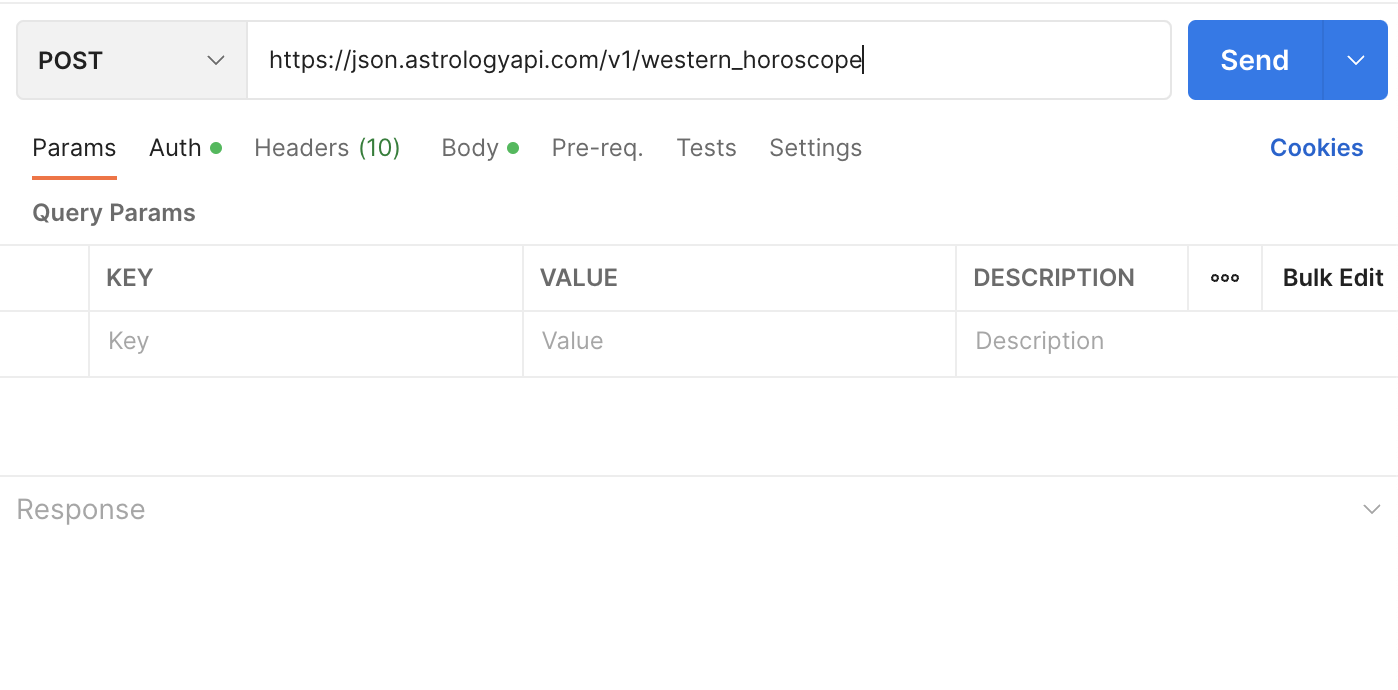
- Select the HTTP method as POST. We are going to use this API - /western_horoscope
- Copy the full API URL and paste as below
Step 2: Add Authentication
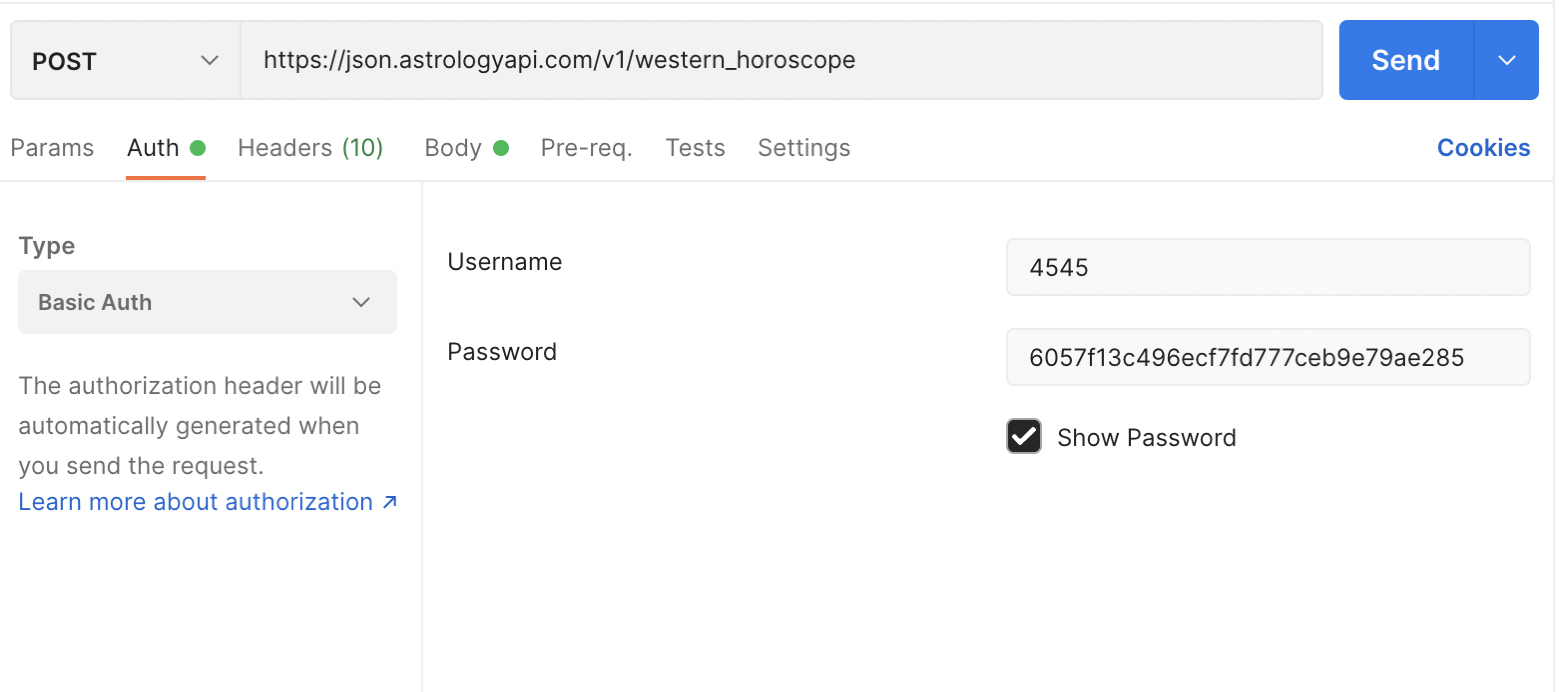
- Go to the Auth tab of Postman.
- Since all the APIs use Basic Auth, we will use Basic Auth from the Type select box.
- Now, enter your user id as the username and API key as the password.
Step 3: Request Parameters / Birth Details
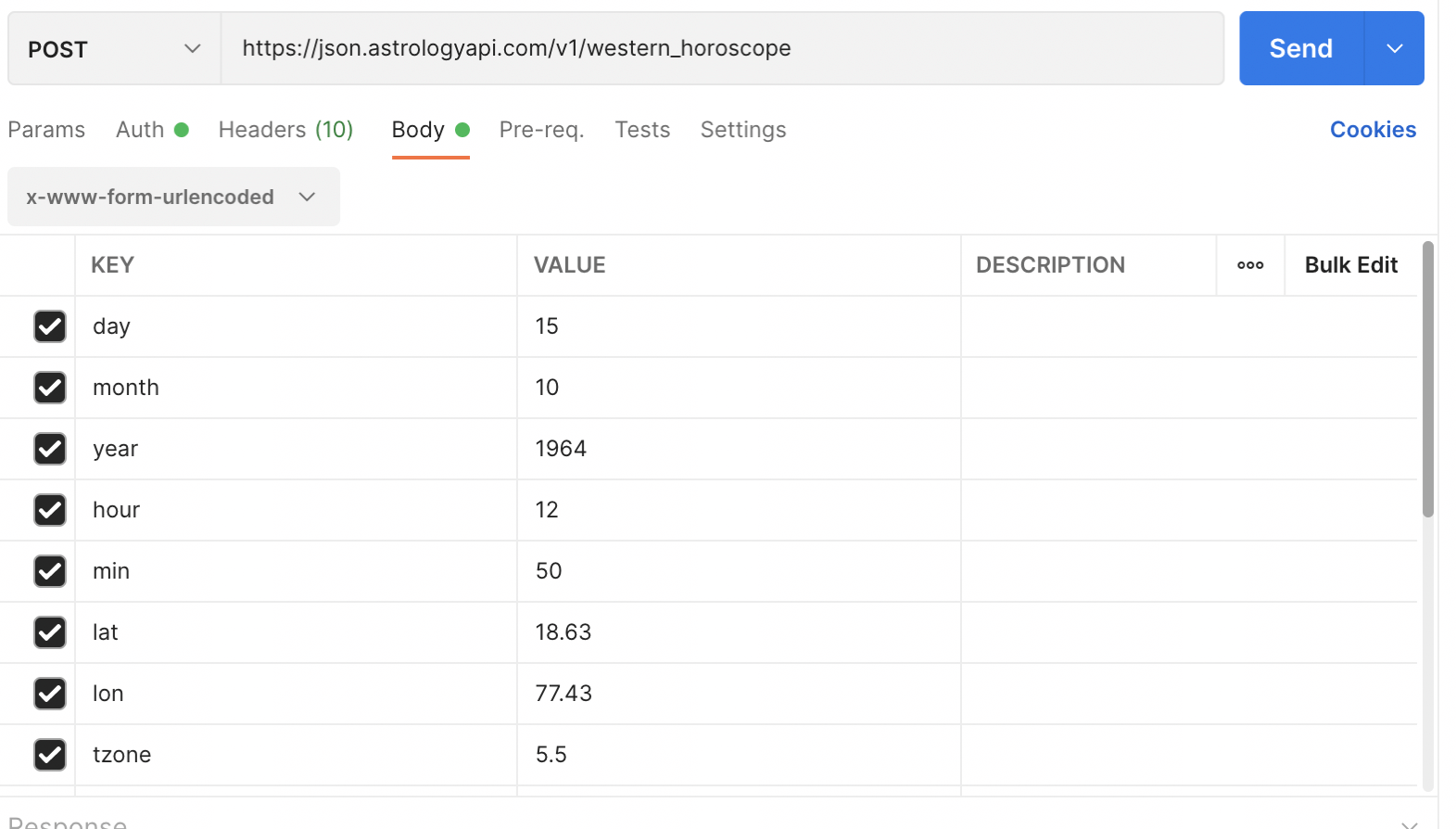
- Now, go to the Body tab of Postman and select x-www-form-urlencoded.
- Follow the request parameters from the API doc - API doc link and add them one by one as shown below:
Step 4: Send Request
Once you have set up everything as mentioned above, you can call the API using the Send button. You will receive a response in JSON format as shown below.
And there you go, making your first successful call to AstrologyAPI. Similarly, you can just replace the API URL and test other APIs too.